
My cause

It is under review. No cause is public before it is approved. The automatic review often approves it shortly; if it has doubts, it goes to a person and takes a little longer. While it is under review it cannot be edited. What is checked
You receive the reason. Press Edit, fix what it points out and finish with Resubmit for review; there is no need to create it again.
That is normal: any change to an approved cause sends it back to Under review until it is approved again. Review
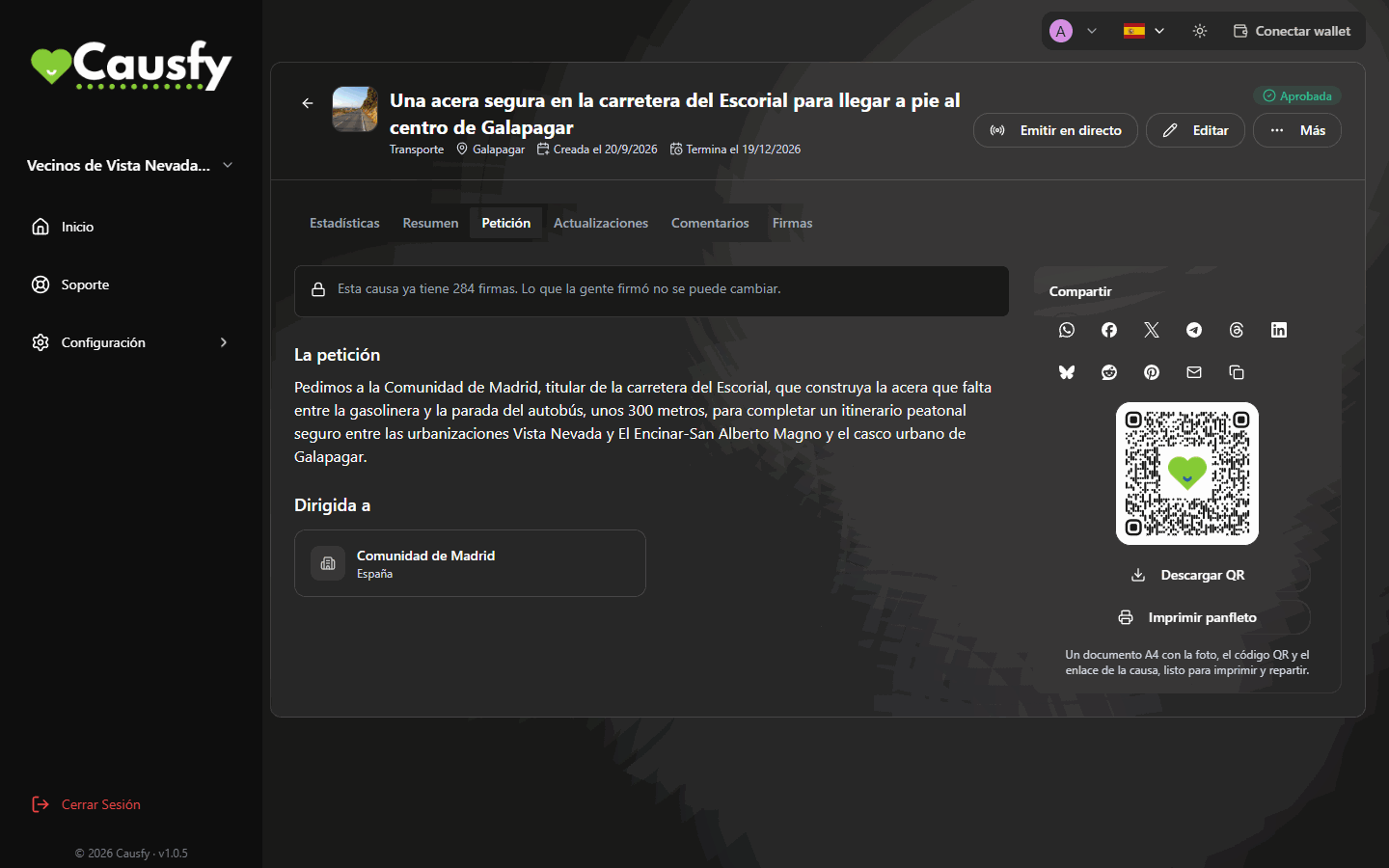
With the first signature the scope, the recipients, the title and the petition, and the signature type are locked: what people signed cannot be changed. The goal can only go up and the deadline can only be extended. You will see a notice about it in the Petition tab.
Petition tab with the notice This cause already has 284 signatures. What people signed cannot be changed, the petition text and the Addressed to block

The Petition tab of a cause with signatures: the notice explains that what was signed can no longer be changed.

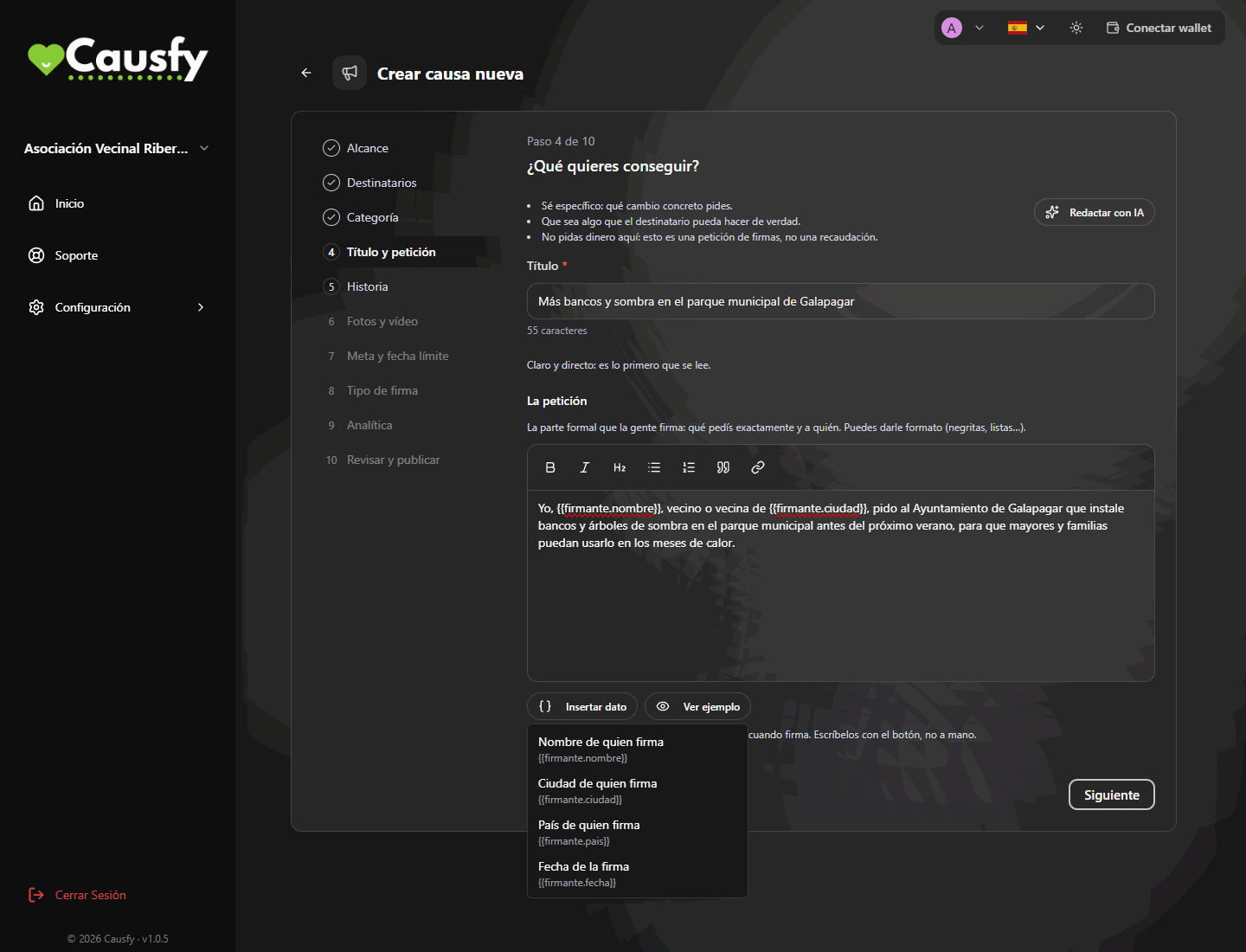
They are the signer’s details, and it is correct that they look like that in the editor. When someone signs, each one is replaced with that person’s: name, city, country or date of signature. That way each signature becomes a personal statement (“I, Ana García, resident of Madrid, ask…”) and that is how it appears on their receipt. On the public page, people who haven’t signed yet see [your name], [your city]…To add them use the Insert data button, don’t type them by hand: if you type one that doesn’t exist, you will see a warning and it will be printed as written. With Show example you check how a signer will read it. Create a cause
Insert data menu open over the petition editor, with the options Signer's name, Signer's city, Signer's country and Date of signature

The Insert data menu: you choose which of the signer's details you want to put in the petition.
Pause, don’t close. Pausing can be undone; closing can’t. Both are in the cause’s More menu. If the administration paused it, you cannot reactivate or close it yourself. Pausing and closing

Signatures and donations

The dashboard has no list of signers: you see the total, how many signatures have a public name and how many are anonymous, and you can download the report and the CSV. If that person asked not to appear publicly, they count in the total as anonymous. Signatures
That is expected today: fundraising is on hold and the portal does not accept donations yet (the button shows Coming soon). In the meantime you can leave card payments enabled in Configuration › Payments. Ways to get paid
When donations open, they will build up in your Stripe account and Stripe will transfer them to your bank on the schedule you have set there.
Either your cause’s threshold has not been reached, or the moderator has not set one. The cause’s Donations tab tells you which of the two. Bank account

Signing in and security

Sign in with another method (the email code, for example) and go to Configuration › Account Settings › Passkeys. There you delete that passkey by typing its name and register a new one with Add passkey. That is why it is worth having two. Security
It means you have no method turned on. Turn on a passkey or Two-Factor Authentication. If you have both, you will be asked for them one after the other.
In Authorized Devices remove the browsers you don’t recognize (removing one doesn’t end a session that is already open in it), check your passkeys and turn on Two-Factor Authentication if you don’t have it. Then write to support. Devices and access

If none of this answers your question

Open a ticket telling what you did, what you expected and what happened. How to contact support