

The link
Each cause has its own permanent address on the public portal. You copy it from your dashboard, on the Share card of the cause’s detail view (Copy link), or from More › Copy public link. It is always the public address, the one anyone can open without an account. That link works for everything: messages, social networks, email, a poster with a QR code. It does not change even if you edit the cause.Until the cause is approved, the card warns: “The public link will be available once the cause is approved.”
The social network buttons
On your cause’s Share card there are direct buttons for WhatsApp, Facebook, X, Telegram, Threads, LinkedIn, Bluesky, Reddit, Pinterest and email, plus one to copy the link. They prepare the message with the link and the title already in place. People who have just signed see them too, right after signing. It is the moment when the most people share.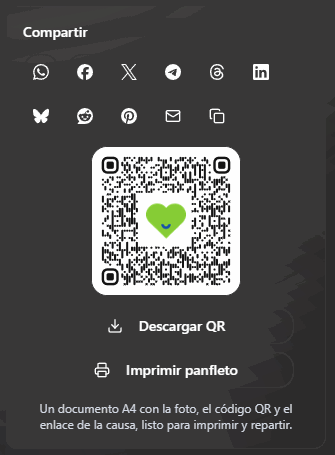
The Share card: the social networks, the QR code and the flyer, all in the same place.
The QR code
Below those buttons you have your cause’s QR code, with the Causfy logo in the middle, and the Download QR button to save it as an image. It is useful for a poster, an information stand or a leaflet: whoever scans it goes straight to signing from their phone.The printable flyer
Next to the QR code you have Print flyer. It generates an A4 document with your cause’s photo, the title, what is being asked for, a good-sized QR code and the branding, ready to print and hand out. It opens in your browser’s viewer, where you print it or save it. It is not stored in your account: each time you request it, it is put together again with what the cause says at that moment.The button for another website
If you have a website, a blog or your association’s page, you can put a button there that leads to your cause.1
Open the generator
In your cause’s header, press More › Button for your website. A window opens with the generator.
2
Choose what to embed
In What do you want to embed you choose between A button and A banner with image. The banner carries the photo, the title and the call to sign. In Banner orientation you set it Horizontal or Vertical depending on the space on your website: horizontal for inside an article, vertical for a sidebar.
3
Give it your look
Change the text, the Background color and the Text color. In Style you choose Solid or Outline; in Corners, Square, Rounded or Pill; and in Size, Small, Medium, Large or Full width (if the space is narrower, it shrinks by itself). The preview changes as you adjust it, and you can view it on Desktop or Mobile.
4
Copy the code
In Code to paste on your website a snippet is generated with the link to this cause already inside. Press Copy code and paste it on your website wherever you want it to appear.
5
Save the style
Press Save. The look is saved to your account, not to the cause: the button for all your causes looks the same, with your branding.
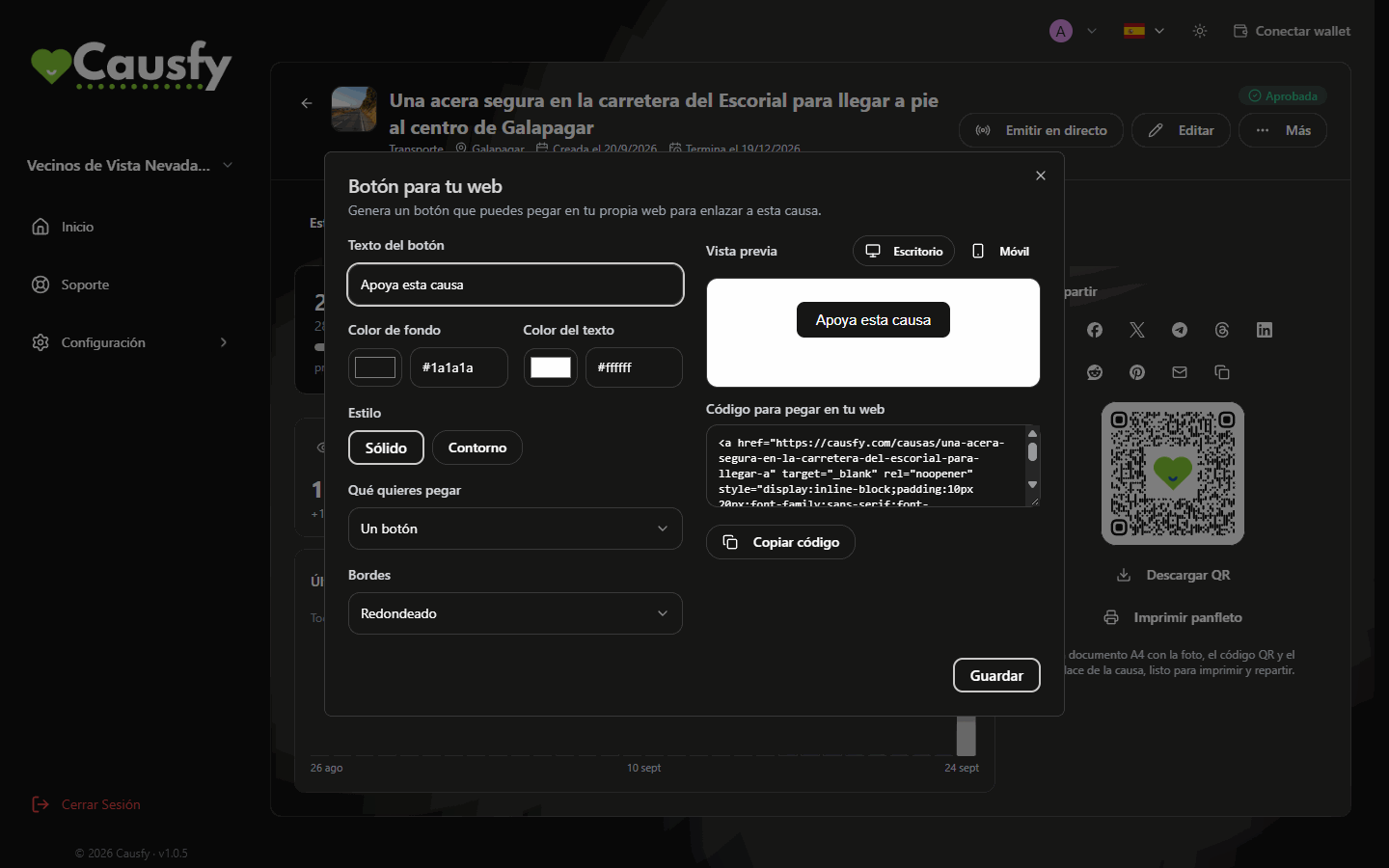
The button generator: you choose the look, see it in the preview and copy the code.
The code is a styled link, nothing more. It does not load scripts on your website or track your visitors.
Measuring a campaign
If you are going to spend money on ads and need to know what works, in the wizard’s Analytics step you can connect your own measurement identifiers to that cause: Google Analytics 4, Meta Pixel or TikTok Pixel. They only switch on for people who accept marketing cookies on the portal, and the data goes to your accounts, not ours. That processing is your responsibility.What really works
- The first three days are worth more than the rest of the month. Have your list of who you will write to ready before publishing.
- Ask people to share, not just to sign. A signature is one signature; a share is ten.
- Tell how it is going. Each update is a legitimate excuse to show up again.
- Read the comments. If a question keeps coming up, answer it in an update: it builds trust with people who haven’t signed yet.