

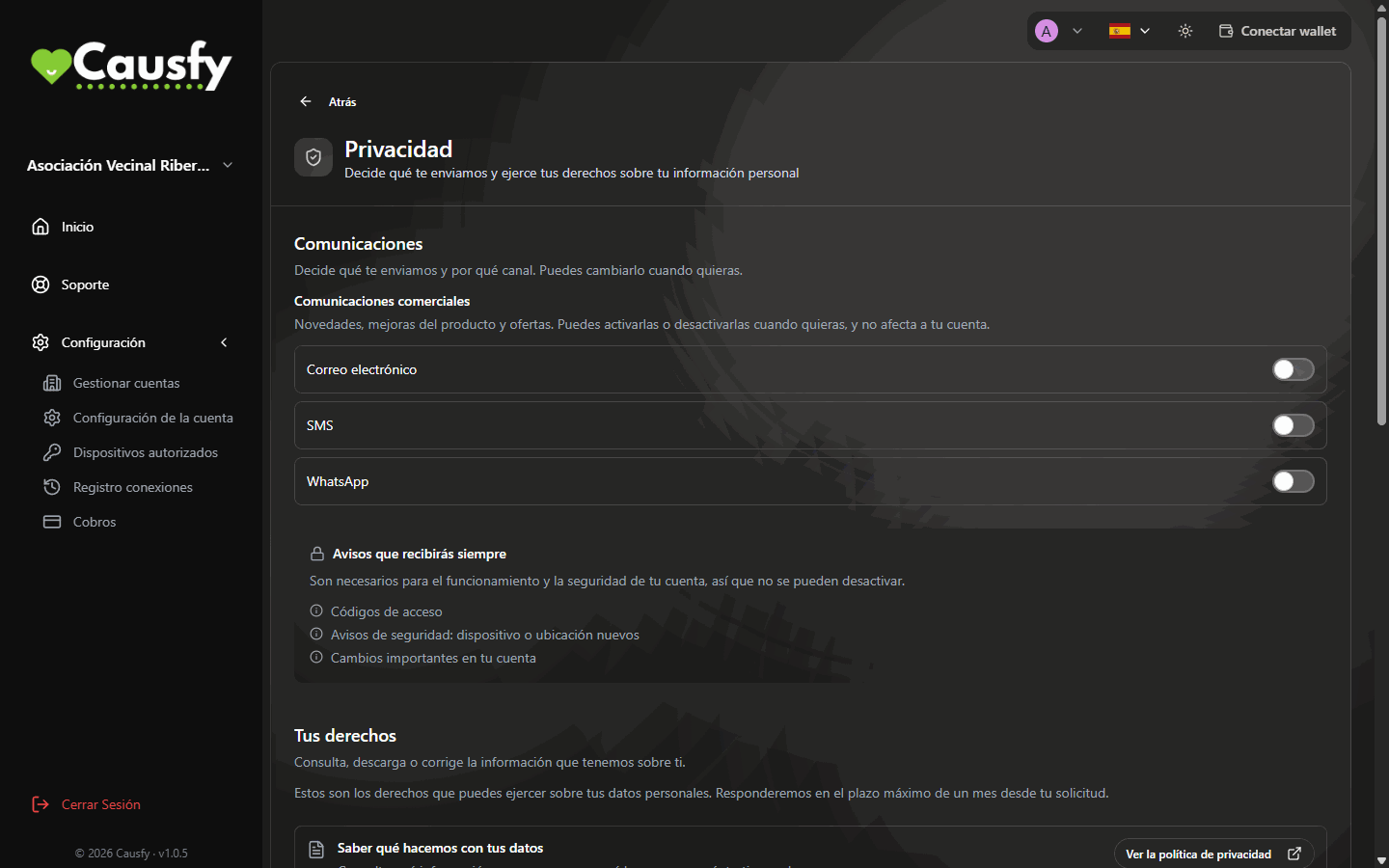
The Privacy page: your communications at the top, your rights below.
Communications
Here you give or withdraw your consent for Marketing communications (product news, improvements and offers), with one switch per channel: Email, SMS and WhatsApp. The change is immediate and does not affect your causes or your account. Messages you’ll always receive (sign-in codes, security alerts and important changes to your account) cannot be turned off: they are needed for your account to work and to keep it secure.Your rights
Before a request is registered you are asked to confirm it’s you. When a request is under way, its row shows: “Your request is being processed. We’ll email you when it’s ready.”See what we do with your data
See what we do with your data
The View the privacy policy button takes you to the policy, which explains what is stored, what for and for how long.
View and download my data
View and download my data
Press Request my data. A copy of everything we hold about you is prepared, in a format you can read, and you are emailed when it is ready.
Take my data to another service
Take my data to another service
Press Request portability. You receive your data in a structured format that another service can read.
Correct my data
Correct my data
Press Edit my details and change whatever is wrong yourself. If you have already verified your identity, your first and last name are tied to your document: the button is Request a correction, and you will have to provide the document. You can still edit your contact details yourself.
Other rights
These are reviewed case by case. When you press Request a dated request is opened and you get a reply by email. Once you have asked for it, the button says Requested.Restrict processing
Restrict processing
You ask for your data to be kept but no longer used while it is clarified whether it is correct or whether it is being used as it should be.
Object to processing
Object to processing
You ask for your data to stop being used for reasons relating to your particular situation. For marketing communications you don’t need to: just turn off their switches above, and the effect is immediate.
Human review of an automated decision
Human review of an automated decision
If an automatic security check has denied you access, you can ask for a person to review it.
Delete your account
You have the Delete my account button at the end of this page, and also in the Danger zone of Account Settings. In both cases, to confirm you have to type exactly Delete Account. When it finishes, you are signed out. Before pressing it, bear two things in mind:- Causes that are already published don’t just disappear. The people who signed have the right for their signature to keep counting. Close your causes first, and post a last update.
- There are records the law requires us to keep even if you delete your account, such as some security records or those needed to defend against claims. The privacy policy says which ones and for how long.