

Support only appears in the menu if it is turned on for your organization. If you don’t see it, ask whoever administers your account.
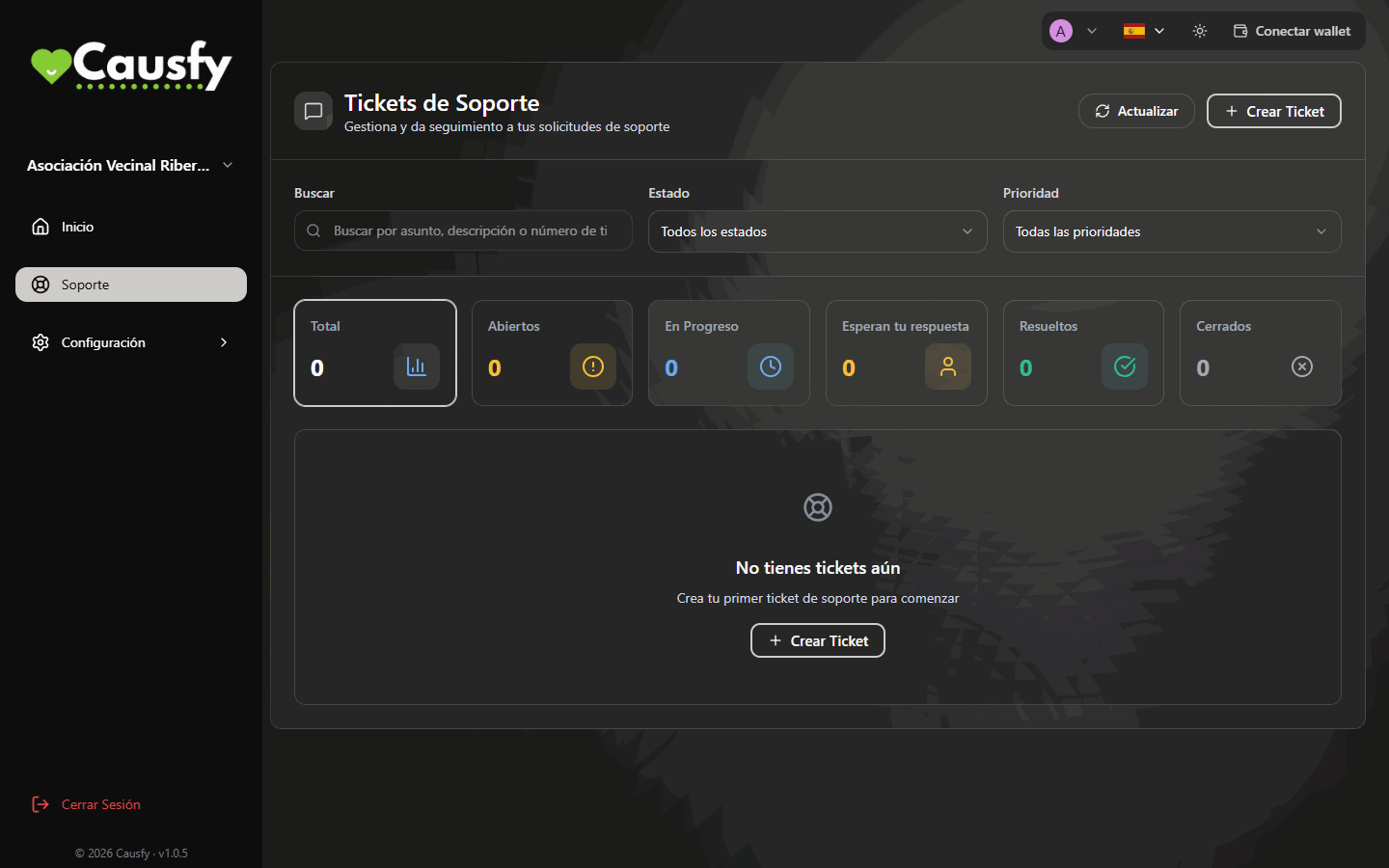
Support Tickets: the search box, the filters, the counters and the Create Ticket button.
Opening a ticket
1
Press Create Ticket
It is at the top right. If you don’t have any tickets yet, the screen invites you to create the first one.
2
Subject
One line saying what is happening. “I can’t enable card payments” is useful; “problem” is not.
3
Ticket type and Priority
The type routes the ticket to whoever knows about it. The priority (Low, Medium, High or Urgent) reflects the real urgency, not the one you would like.
4
Problem Description
What you did, what you expected and what happened. If there is an error message, copy it exactly.
5
Press Create Ticket
All four fields are required. When it is created you will see Ticket #… created. We’ll get back to you soon.
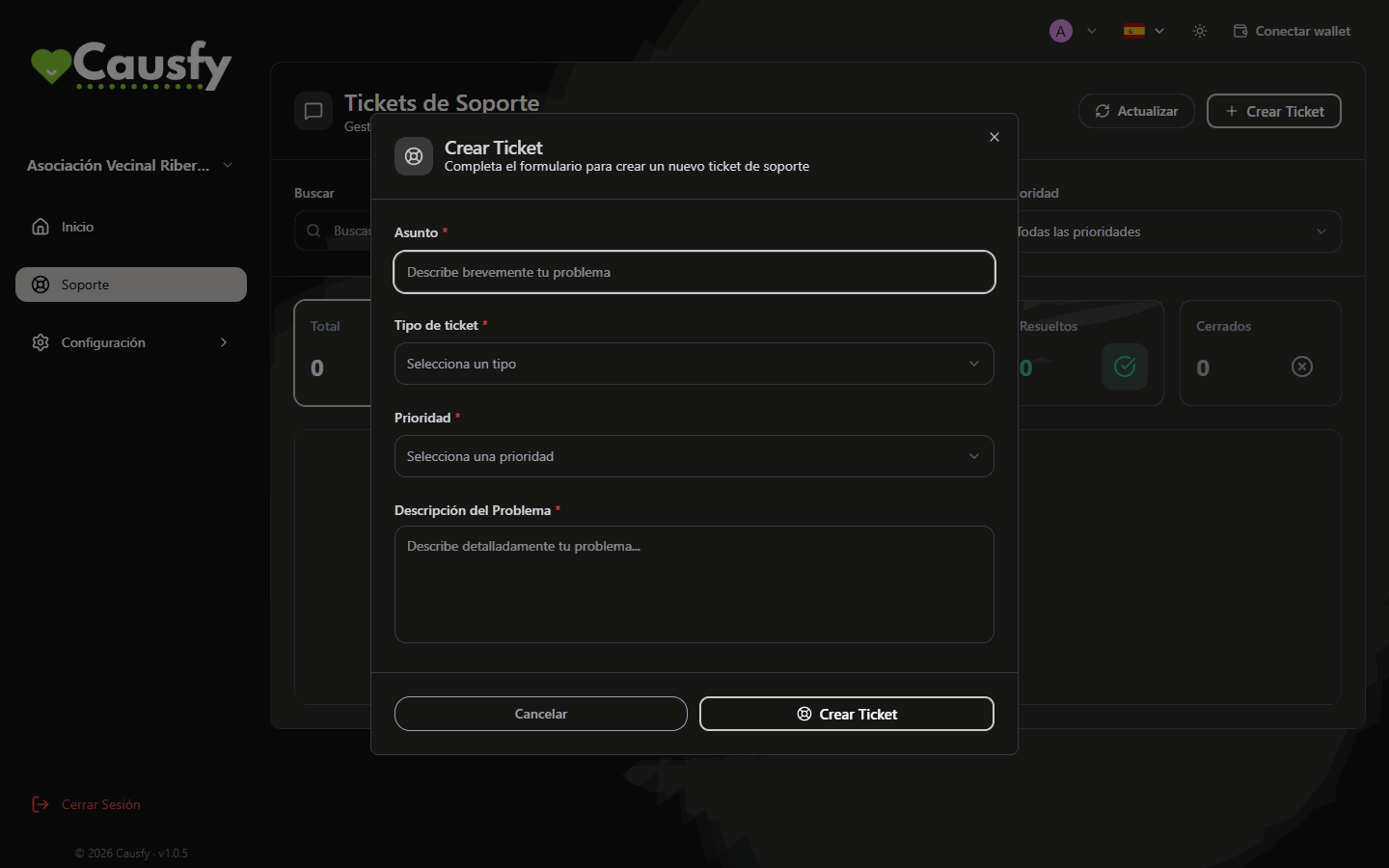
The Create Ticket window, with the four fields to fill in.
You cannot attach files or screenshots to a ticket. Describe in words what you see on screen and copy the exact text of the messages.
Following the ticket
In the list you see all of yours with their status: Open, In Progress, Pending Customer, Resolved or Closed. The ones in Pending Customer are the ones stuck on your side: until you reply, they don’t move. At the top, the Awaiting your reply card tells you how many you have like that. Inside the ticket you have the full thread, who is handling it and the history of what has happened.- Add Comment adds your reply to the thread.
- Close Ticket marks it as resolved.
- Reopen Ticket if the problem comes back, without having to start from scratch.
What to include so it gets resolved sooner
What support cannot do
- Approve your cause skipping the review. That is decided by moderation, which has its own process.
- Resolve whatever Stripe has pending with you. Those notices are dealt with inside Stripe.
- Sign in to your account on your behalf.