

What you see in your dashboard
Open your cause and go to the Signatures tab. It appears when the cause is approved, paused or closed. On the Verified signatures card you see:- The total number of signatures, verified by email.
- The breakdown, for example “250 with public name · 34 anonymous”. Signers can ask for their name not to be shown publicly; their signature counts just the same.
- Two download buttons: Report (PDF) and CSV.
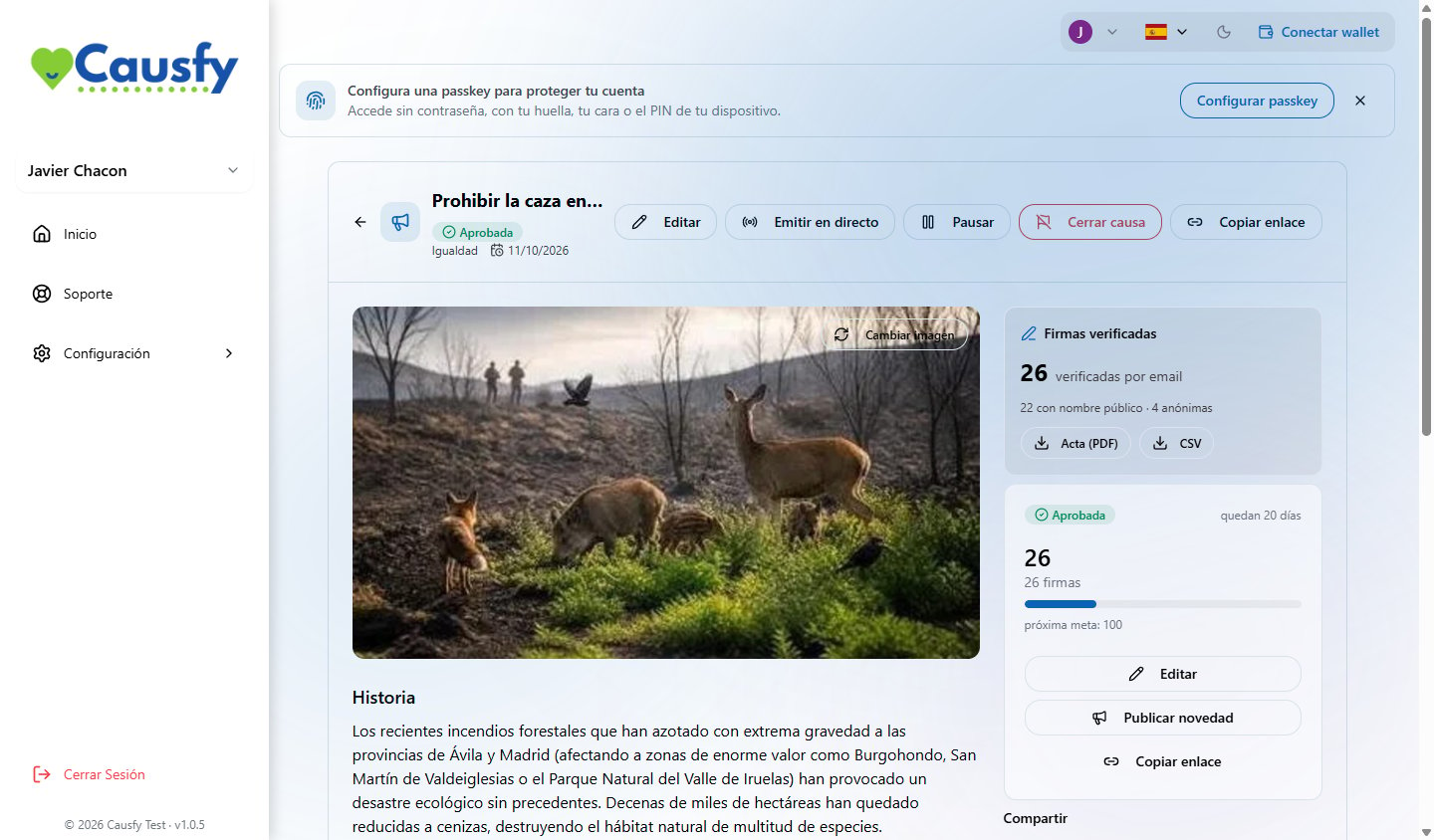
The signatures card: the total, how many are anonymous, and the two documents.
The documents
Report (PDF)
A PDF with a summary of the cause and the total signatures as of the date it is issued. It is what you hand over to whoever receives the petition.
CSV
A list of the signatures, to work with in a spreadsheet.
Advanced signature certificates
If your cause accepts advanced signatures, this is where the certificates appear for those who verified their identity and agreed to hand it to you.
What each signature declares
If you used Insert data when writing the petition (the signer’s name, city, country or date), each signature becomes a personal statement: “I, Ana García, resident of Madrid, ask…”. That is how it appears on each person’s receipt. On the public page, since nobody has signed yet, those gaps read “your name”, “your city”… How those details are addedHow it is proven that nothing has been touched
Each signature generates a digital fingerprint. Those fingerprints are combined and anchored on a public blockchain, with a reference that is recorded. That does two things:- It fixes the date. Nobody can later claim the signature was collected earlier or later than it says.
- It makes any change visible. If a single signature is altered, the fingerprint no longer matches.
Anyone can check a certificate on the public Check a signature certificate page, with no account or permission. They can drop the certificate PDF there (it does not leave their computer: the fingerprint is calculated in their browser), or paste the fingerprint or the reference printed on it, and press Check. The certificate also carries a QR code that opens that check directly.
Basic and advanced signatures
Right now every new cause uses the basic signature, because it is the only one that can be chosen. The qualified signature is also Coming soon. If your cause already had the advanced signature assigned, it keeps it and works normally.
The type is chosen when you create the cause and can be changed by editing it until the first signature arrives; from that moment it is locked. See the signature types