

Scheduling one
Every live stream is scheduled: no announcement, no audience. In your cause’s header, press Go live.The Go live button only appears when the cause is approved. While it is under review, paused or closed, you cannot broadcast.
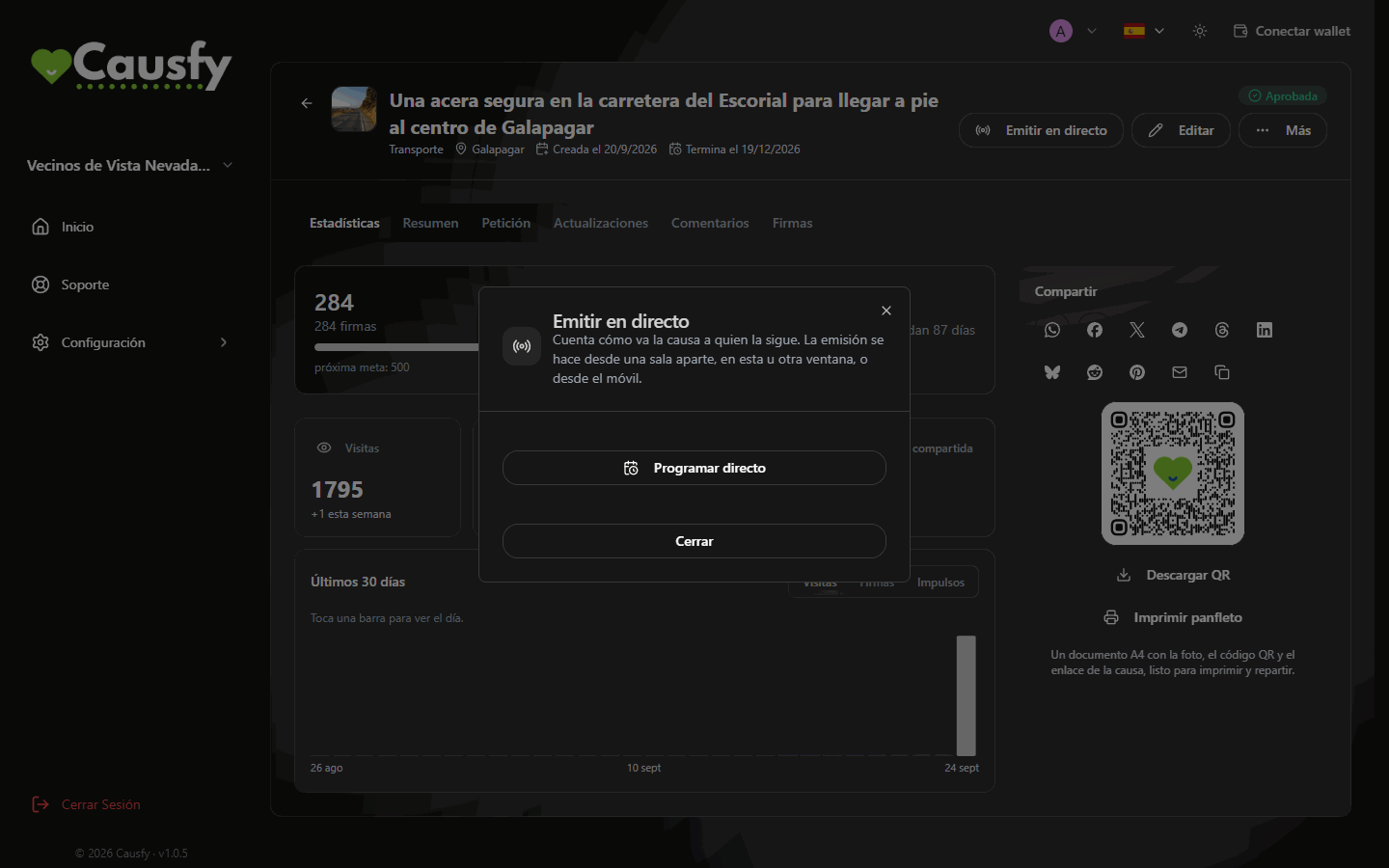
Go live, when no live stream has been scheduled yet.
1
Press Schedule a live stream
The picker opens with the text Pick the date and time of the live stream. It starts empty on purpose: nothing is scheduled until you choose.
2
Choose the day and time
At least 20 minutes ahead and up to 30 days. You type the time on your own clock: anyone watching from another country will see it in theirs.
3
Confirm
Press Confirm the date and time. If you make a mistake, Back takes you to the previous step without scheduling anything.
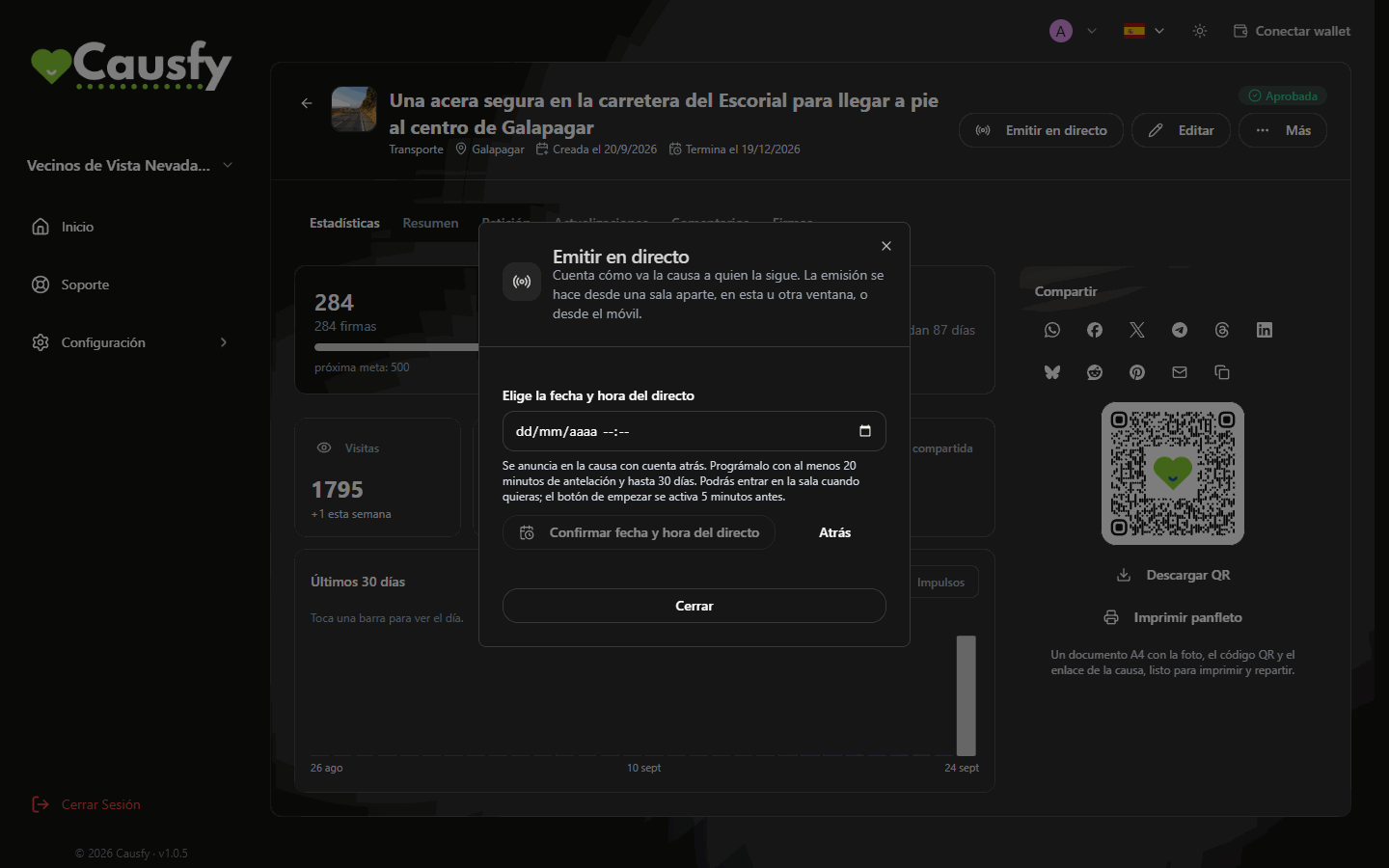
You choose the day and time, and confirm. The help text reminds you of the margins: 20 minutes, 30 days, and 5 minutes before to start.
Make sure the audience doesn’t miss it
On the public page, next to the announcement, there is a button to add the cause’s live streams to the calendar (Google Calendar, Apple, Outlook or any other that supports subscriptions). It is not a one-off event: it is a subscription, so that person’s calendar also picks up the live streams you schedule later, and any time changes. We don’t ask anyone for an email or any data for this.Entering the room
With the live stream scheduled, the Go live window offers you two ways in:Open the broadcast room
Opens the room in a new tab on this computer.
Open on your phone
Shows a QR code. Scan it with your phone’s camera and the room opens there.
Each time you press one of the two buttons a new access is prepared, valid for a single device for one hour. You don’t have to save or copy any links: if the access expires, go back to the cause and press again.
Starting the broadcast
The Start broadcasting button unlocks 5 minutes before the announced time. Until then the room tells you when you will be able to start, with the day and time. When you press it you will see Preparing your broadcast… for a few minutes (up to three): we are setting up the broadcast just for you. Don’t close the page; you go on air as soon as it is ready. To finish, press End live stream, which only appears while you are broadcasting. It asks End the live stream? and, once you confirm with Yes, end it, the audience stops seeing you and the room closes.The broadcast room
Camera, microphone and screen
Camera, microphone and screen
You turn the camera and microphone on and off from the bar at the bottom. On a phone, Switch camera toggles between the front and the rear one.With Share screen the audience sees your screen large and your camera in a small window in the corner, so they don’t lose sight of your face while you explain.
Message and goals
Message and goals
You can pin a message that shows over the broadcast and set yourself two goals for this live stream: one for signatures and one for boosts. They count from the moment you set them and the whole audience watches the bars fill up.A boost is a paid promotion that someone makes of your cause so it gets seen more on the portal. You see how many boosts the cause receives, not how much was paid for them.
Settings: recording, chat and guests
Settings: recording, chat and guests
The Settings button (at the top, in the room) gathers:
- Save recording: when it ends, the live stream is published as an update on the cause, for those who couldn’t watch it live.
- Slow mode: the seconds the same person has to wait between one message and the next.
- Only signers can write: anyone can watch; only those who already signed can write.
- Guest can moderate: your guest will be able to remove, mute and highlight messages, like you.
- Blocked words: comma-separated. A message with any of them doesn’t enter the chat.
The chat
The chat
Viewers can write and react with emojis. Each participant appears in a different color so you can follow the conversation at a glance.On each message you can put the question up on screen, mute that person for five minutes or remove them from the chat.
Invite someone to speak
Invite someone to speak
Press Invite and then Create guest link. Send it to whoever you want to bring on the live stream: they join with camera and microphone. It works once and expires in 60 minutes.In the same window you see each link with its status (unused, in use or revoked). If you change your mind or sent it to the wrong person, press Revoke and it stops working straight away.While you and your guest are both on camera, the audience sees you both: you in the large view and your guest in a small window. Your guest cannot end the live stream: when they want to leave, they press Leave the live stream, which only disconnects them. The live stream carries on with you and the audience goes back to seeing only you.
Live signatures and boosts
Live signatures and boosts
When someone signs or boosts the cause during the broadcast, an alert appears on screen for you and for the audience. It is the best moment to say thank you out loud.