> ## Documentation Index
> Fetch the complete documentation index at: https://docs.causfy.com/llms.txt
> Use this file to discover all available pages before exploring further.
# Welcome to Causfy
> How to create a cause, collect signatures or raise funds, and run it all from your dashboard.
With Causfy you stand up for something you care about in two ways: **collecting signatures** to ask for a change, or **raising funds** to make it happen.
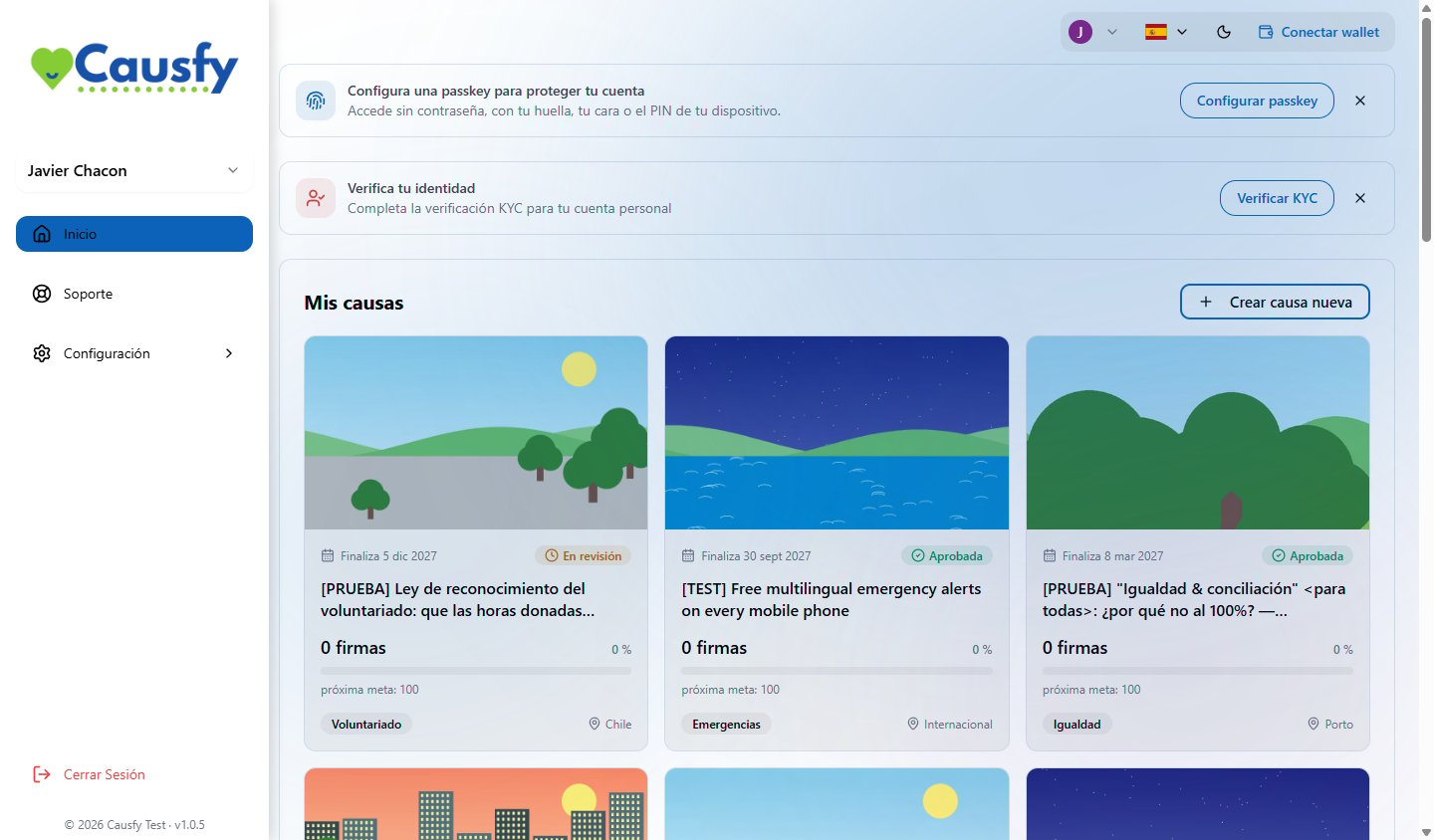
You create the cause from your dashboard. Once the team approves it, it appears on the public portal and anyone can find it, sign it or donate.
 Donation money goes to your account or to the cause's bank account. Causfy does not hold on to it.
## Where to start
Signing in for the first time and leaving your account protected.
The whole journey, from the idea to the first signature.
The steps of the wizard, one by one.
Cards, bank accounts and where the money ends up.
## The two kinds of cause
When you create a cause you pick **a single goal**, and that decision shapes everything else.
You ask someone specific for a change: a city council, a ministry, a company. Everyone who backs you signs, and that signature is recorded with a certificate.
You need money for something specific. You set an amount and a date, and people donate by card or by transfer.
**Creating fundraising causes is on hold.** Today you can only create signature causes: the other option shows on screen marked **Coming soon** and cannot be selected. Fundraising causes that are already published keep receiving donations.
A cause cannot chase both things at once. If you need signatures and money, create two causes and link them to each other from the story of each one.
## Where each thing happens
| Place | What it is for |
| -------------------------------------------------------------------- | ------------------------------------------------------------------------------------------ |
| Your dashboard, at [causfy.app](https://causfy.app) | Creating causes, posting updates, seeing signatures and donations, setting up your account |
| The public portal, at [causfy.com/causas](https://causfy.com/causas) | Where the public discovers your cause, signs it and donates |
## Can't find what you are looking for?
Write to the team from **Support**, in your dashboard. We reply in the same place and you can follow the conversation from there. [How to open a ticket](/en/soporte/contacto)
Donation money goes to your account or to the cause's bank account. Causfy does not hold on to it.
## Where to start
Signing in for the first time and leaving your account protected.
The whole journey, from the idea to the first signature.
The steps of the wizard, one by one.
Cards, bank accounts and where the money ends up.
## The two kinds of cause
When you create a cause you pick **a single goal**, and that decision shapes everything else.
You ask someone specific for a change: a city council, a ministry, a company. Everyone who backs you signs, and that signature is recorded with a certificate.
You need money for something specific. You set an amount and a date, and people donate by card or by transfer.
**Creating fundraising causes is on hold.** Today you can only create signature causes: the other option shows on screen marked **Coming soon** and cannot be selected. Fundraising causes that are already published keep receiving donations.
A cause cannot chase both things at once. If you need signatures and money, create two causes and link them to each other from the story of each one.
## Where each thing happens
| Place | What it is for |
| -------------------------------------------------------------------- | ------------------------------------------------------------------------------------------ |
| Your dashboard, at [causfy.app](https://causfy.app) | Creating causes, posting updates, seeing signatures and donations, setting up your account |
| The public portal, at [causfy.com/causas](https://causfy.com/causas) | Where the public discovers your cause, signs it and donates |
## Can't find what you are looking for?
Write to the team from **Support**, in your dashboard. We reply in the same place and you can follow the conversation from there. [How to open a ticket](/en/soporte/contacto)